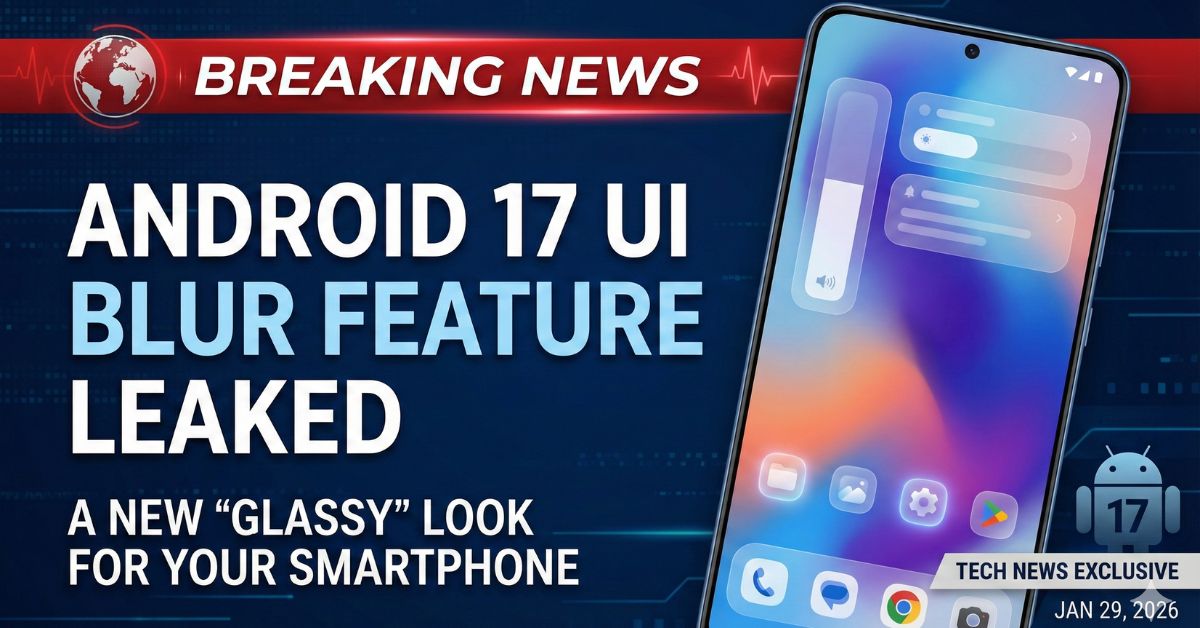
Google is preparing for its next major software leap with the upcoming release of Android 17. While the operating system is still months away from a stable rollout, early leaks from internal builds have revealed a significant shift in how the interface will look and feel. The most talked-about change is the introduction of a sophisticated “UI Blur” effect, a design choice that moves away from the solid, opaque backgrounds users have grown accustomed to in recent years.
This visual evolution is part of Google’s broader “Material 3 Expressive” design language. For Indian smartphone users, who often prioritize sleek aesthetics and fluid animations, this update represents a move toward a more “glassy” and premium feel that bridges the gap between functional software and high-end hardware.
What is the Android 17 UI Blur Feature?
The core of the Android 17 visual update is the replacement of solid light or dark backgrounds with translucent, blurred layers. When you interact with specific system elements—such as the volume slider or the power menu—the background will no longer be a flat block of color. Instead, it will appear like frosted glass, allowing the colors of your wallpaper or the app running underneath to peek through.
According to technical analysis of the leaked builds, this blur is not static. It is “dynamic,” meaning it tints itself based on the user’s current Material You color theme. If your wallpaper is a vibrant sunset orange, the blurred volume panel will carry a subtle orange hue, maintaining a sense of depth and continuity across the entire operating system.
Key UI Changes in Android 17
Beyond the blur effect, Android 17 is expected to introduce several structural changes to how users navigate their devices. One of the most significant shifts is the potential separation of the Notification Shade and the Quick Settings panel.
Currently, swiping down from the top of an Android phone reveals both notifications and settings toggles in a unified view. Leaks suggest that Android 17 may adopt a split-screen approach: swiping down from the left side of the screen would show notifications, while a swipe from the right would open a dedicated Quick Settings page. This layout is already familiar to users of various Chinese smartphone brands in India, but its native inclusion in Android marks a major change for Pixel and stock Android enthusiasts.
Other leaked features include:
- Floating Screen Recorder: A new pill-shaped interface that stays on the screen while recording, providing quick access to audio settings and a “stop” button.
- Native App Lock: Google is reportedly testing a built-in way to lock individual apps using biometrics or a PIN, removing the need for third-party security apps.
- Enhanced Desktop Mode: Significant improvements to how Android works when connected to an external monitor, mimicking a PC-like experience with a taskbar and resizable windows.
Why This Matters for Indian Smartphone Users
In a market like India, where mid-range and flagship smartphones are increasingly judged on their “software polish,” the UI blur feature adds a layer of sophistication. It aligns Android more closely with modern design trends seen in competing operating systems, such as Apple’s iOS 26 “Liquid Glass” aesthetic.
However, experts suggest that Google’s approach to blur is more “subtle and restrained.” While some users worry that heavy blur effects could slow down older devices or drain battery life, Google is likely to include a toggle in the accessibility settings to “Reduce Blur Effects” for those who prefer performance over visuals.
Expected Launch Timeline and Device Support
Android 17, internally codenamed “Cinnamon Bun,” is expected to follow a predictable release cycle. The first Developer Previews and Beta builds are typically tested in the first half of the year, with a stable rollout targeted for mid-2026.
Read More : 7 Hidden Android Features
As always, Google’s own Pixel lineup—from the Pixel 6 series up to the upcoming Pixel 10—will be the first to receive the update. Major manufacturers in India, including Samsung, OnePlus, and Xiaomi, are expected to integrate these features into their own custom skins (like One UI 9 or OxygenOS) by late 2026 or early 2027.
Frequently Asked Questions (FAQs)
1. Will the UI blur feature make my phone slower?
While blur effects require more processing power than solid backgrounds, Google typically optimizes these for modern hardware. If you have an older device, there will likely be an option in the settings to turn off the blur for better performance.
2. Is Android 17 copying Apple’s Liquid Glass design?
Both companies are moving toward “glass-like” translucent designs. However, Android 17 uses “Dynamic Color” to tint the blur based on your wallpaper, which is a unique feature of Google’s Material You design philosophy.
3. When can I download Android 17 in India?
The stable version is expected to launch around June 2026. Pixel users will get it first, followed by flagship phones from other brands like Samsung and OnePlus over the following months.
4. Will my old Pixel phone get the Android 17 update?
The Pixel 6 series and all subsequent models are expected to be eligible for the Android 17 update, thanks to Google’s extended software support policy.
5. What is the “Cinnamon Bun” codename?
“Cinnamon Bun” is the internal dessert-themed codename Google is using for Android 17. Publicly, the software will simply be marketed as Android 17.